Kudu console for backup

We host our own nuget server in azurewebsites. To make backups of the packages we use Kudu console.

Kudu is the engine behind git deployments in Azure Web Sites. It can also run outside of Azure.

Read more info about the Kudu console.

In general open a browser with [yourwebsite].scm.azurewebsites.net. After login the Kudu interface is shown. I’ll be using the Debug console from the top menu.

kudu.fileexplorer

With the file explorer you can browse your websites folders and files. Downloads are offered per file or per folder (as a ZIP). The Console window displayed below the file explorer is ‘in-sync’ and offers cmd or powershell access.
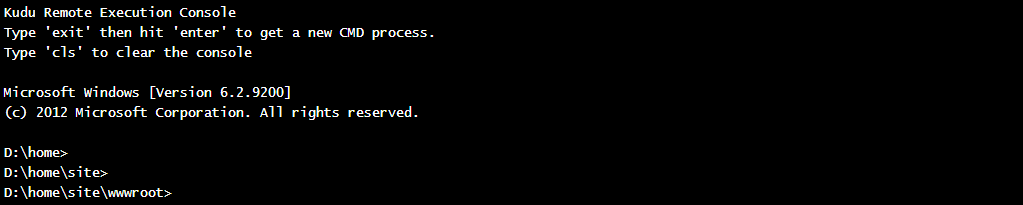
kudu.console

Be careful not to break anything 😉

Posted in Tooling | Tagged , , , | Leave a comment

Week 19 roundup

Last week recap an links:

Image courtesy of kanate / FreeDigitalPhotos.net

  • Mindmap meets Evernote with Mohiomap. Nice visual of your Evernote and/or DropBox content.
  • Windows Azure has a new Portal. Check it out.
  • Used Spreadsheet Inquire to view changes between versions of an Excel file. Installed by default in Microsoft Office 2013.

Image courtesy of kanate / FreeDigitalPhotos.net

What are your best reads this week? Leave them in the comments below.

Posted in Uncategorized | Tagged , , , , | Leave a comment

A first encounter with Chocolatey

chocolateyicon
Think of Chocolatey as a nuget repository with software to install on Windows. Or apt-get for Windows. I’ve tested it for Particular software.

Installation

This is simple, just past one line in a command box and wait for it to finish.

@powershell -NoProfile -ExecutionPolicy unrestricted -Command 
"iex ((new-object net.webclient)
.DownloadString('https://chocolatey.org/install.ps1'))" 
&& SET PATH=%PATH%;%systemdrive%\chocolatey\bin

Packages

When writing this post the packages feed contains 1840 items. You can browse and search for packages you need. Like Visual Studio 2013 Utlimate (not tested).

Usage

To install a package, just open a command box and type “CINT [package]” where package is the installation you want. I’ve installed the Particular packages needed for nServicebus, ServiceControl and ServicePulse. Just type the install commands and wait for the installation to finish.

Make sure to install in the right order: I ran ServiceControl.install before nservicebus.msmq.install and got an exception about missing Msmq. After de-install and install of ServiceControl everything worked.

Impressions

This can be automated which helps taking the sting out of deployment and provisioning environments. We will be using this in future projects.

nugetlogo

Posted in Tooling | Tagged , , | Leave a comment

Connect Virtual Machines in Windows Azure

Our project relies on MSDTC. To use this in Windows Azure the machines must be able to find each other. Here are the two solutions Microsoft offers.

Move VM to virtual network

In this post Karl writes how to move existing virtual machines into a virtual network. A summary of the steps:

  • Create Virtual Network
  • Delete the Virtual Machine(s), but keep the attached disks
  • Delete the Cloud Service
  • Create new Virtual Machine
    • use the old disk
    • create the Cloud Service in the same wizard
    • put it in the Virtual Network

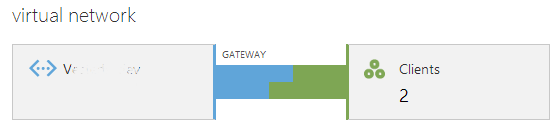
virtualnetwork
The Virtual Machines now have an IP Address in the range defined in the Virtual Network. When no DNS machine is added, use the hosts file.

Setup virtual network with VPN

Another good read on the internet. Courtenay writes about Point-to-Site VPN Walk-Through. This approach creates a Virtual Network for it’s VPN. No need to delete and recreate Virtual Machines. Very short summary:

  • Create Virtual Network
  • Add Gateway to Virtual Network
  • Configure VPN on Virtual Machines

gateway
A new network adapter (VPN) is available. Connect it to get a second IP address.

Pros/Cons

Moving to a Virtual Network involves downtime and deletion of Virtual Machines (lose VIP) but is free.
VPN costs €28 per month, but no downtime or losing the VIP.

Posted in Tooling | Tagged , , , , | 1 Comment

nServiceBus license

The nServiceBus software from Particular provides a great integration platform. Our current project integrates 5 systems. One is a system that communicates by putting XML files in a drop location.

For an initial load there will be over 30.000 files the adapter should process. Today we tested the implementation against such a load of files and noticed it was taking ages. After two hours of plowing it only processed about 7000 files. The log entry below provided the answer.

your license has expired, downgrading to basic mode

After loading the developer license file the throughput was in the expected range. The test machine (read: laptop of developer) processed the files just under the hour. It comes down to the old saying:

if you don’t want to pay, you have to wait

Particular updated their license model from per core to per node. Check out particular.net/licensing for more details.

Posted in Development | Tagged , , | 1 Comment