We’re investigating Cloud Foundry for our PAAS solution. At home I’ve installed it on my mac with virtualbox. This post is a combination of information available elsewhere (links are included) and can be used to get you’re own local Cloud Foundry up and running.
Prerequisites
Install VirtualBox (https://www.virtualbox.org/wiki/Download_Old_Builds_5_2)
Install VirtualBox extension pack
Install xcode
xcode-select --install
Install Homebrew (https://brew.sh) and use it to install bosh-cli, openssl and node.js
brew install cloudfoundry/tap/bosh-cli
brew install openssl
brew install node
Now start installation …
Bosh-lite
Follow https://bosh.io/docs/bosh-lite/ and you’ll have bosh-lite running. JUST DON’T INSTALL ZOOKEEPER! The script I’ve used is below. The last line adds a route to the system that is crucial for the cloud foundry cli to work.
git clone https://github.com/cloudfoundry/bosh-deployment ~/workspace/bosh-deployment
mkdir -p ~/deployments/vbox
cd ~/deployments/vbox
bosh create-env ~/workspace/bosh-deployment/bosh.yml \
  --state ./state.json \
  -o ~/workspace/bosh-deployment/virtualbox/cpi.yml \
  -o ~/workspace/bosh-deployment/virtualbox/outbound-network.yml \
  -o ~/workspace/bosh-deployment/bosh-lite.yml \
  -o ~/workspace/bosh-deployment/bosh-lite-runc.yml \
  -o ~/workspace/bosh-deployment/uaa.yml \
  -o ~/workspace/bosh-deployment/credhub.yml \
  -o ~/workspace/bosh-deployment/jumpbox-user.yml \
  --vars-store ./creds.yml \
  -v director_name=bosh-lite \
  -v internal_ip=192.168.50.6 \
  -v internal_gw=192.168.50.1 \
  -v internal_cidr=192.168.50.0/24 \
  -v outbound_network_name=NatNetwork
bosh alias-env vbox -e 192.168.50.6 --ca-cert <(bosh int ./creds.yml --path /director_ssl/ca)
export BOSH_CLIENT=admin
export BOSH_CLIENT_SECRET=`bosh int ./creds.yml --path /admin_password`
sudo route add -net 10.244.0.0/16     192.168.50.6 # Mac OS X
Congratulations you’ve now got a working bosh-lite installation. You can use the bosh-cli to interact with it. Now install/deploy Cloud Foundry.
Cloud Foundry
Read up on http://operator-workshop.cloudfoundry.org/labs/deploy-cf/ but use the script below as it fills some holes.
git clone https://github.com/cloudfoundry/cf-deployment ~/workspace/cf-deployment
cd ~/workspace/cf-deployment
git checkout tags/v1.15.0
export BOSH_ENVIRONMENT=192.168.50.6
bosh update-cloud-config ~/workspace/cf-deployment/iaas-support/bosh-lite/cloud-config.yml
export STEMCELL_VERSION=$(bosh int cf-deployment.yml --path '/stemcells/alias=default/version')
bosh upload-stemcell "https://bosh.io/d/stemcells/bosh-warden-boshlite-ubuntu-trusty-go_agent?v=$STEMCELL_VERSION"
export SYSTEM_DOMAIN=bosh-lite.com
bosh -d cf deploy ~/workspace/cf-deployment/cf-deployment.yml \
-o ~/workspace/cf-deployment/operations/bosh-lite.yml \
-o ~/workspace/cf-deployment/operations/use-compiled-releases.yml \
--vars-store deployment-vars.yml \
-v system_domain=$SYSTEM_DOMAIN
Now login to you’re Cloud Foundry environment. The password for the admin user is revealed with the first statement of the script below.
More info on (http://operator-workshop.cloudfoundry.org/labs/cf-basics/):
bosh interpolate --path /cf_admin_password ~/workspace/cf-deployment/deployment-vars.yml
cf login -a https://api.$SYSTEM_DOMAIN --skip-ssl-validation
cf create-org demo
cf target -o demo
cf create-space dev
cf target -o demo -s dev
Stratos
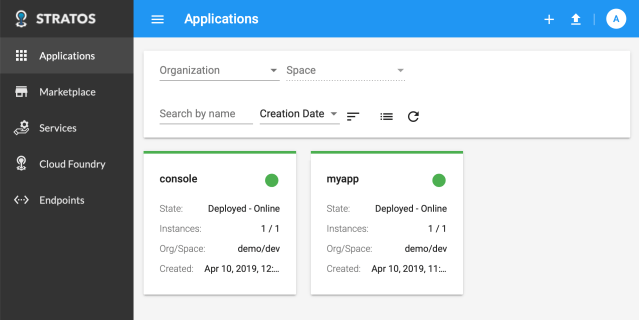
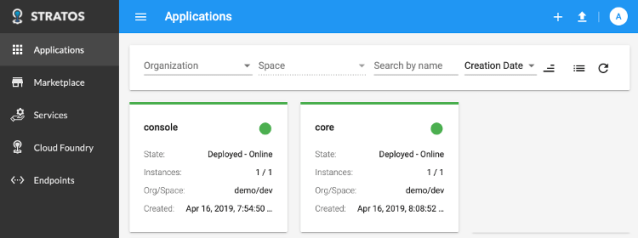
A nice GUI for your Cloud Foundry is Stratos. You deploy Stratos to CF with details from https://github.com/cloudfoundry-incubator/stratos/tree/v2-master/deploy/cloud-foundry This is where node.js is needed.
cd ~/workspace
git clone https://github.com/cloudfoundry-incubator/stratos
cd stratos
git checkout tags/stable -b stable
npm install
npm run prebuild-ui
cf push
Now logon to Stratos on https://console.bosh-lite.com with Admin and the password from the first line in the previous script.
Save state the VirtualBox machine before shutdown to preserve your environment. After a restart create the route again.
Extra
If you’ve already installed node, make sure to update it to the latest version:
brew update
brew upgrade node
npm update -g npm







 .NET Development by Eric