Week 38 roundup

Last week recap and links:

Image courtesy of kanate / FreeDigitalPhotos.net

Image courtesy of kanate / FreeDigitalPhotos.net

What are your best reads this week? Leave them in the comments below.

Posted in Uncategorized | Tagged , , , | Leave a comment

AccessViolationException

After setting my Default Processor Architecture to x64 in Visual Studio 2013 I started getting System.AccessViolationException’s.
An exception of type 'System.AccessViolationException' occurred
Notice the “this is often an indication that other memory is corrupt”.

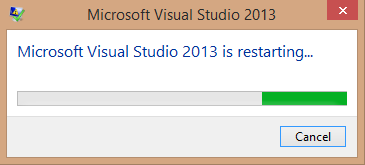
After exploring the exception. The root cause revealed itself. Visual Studio crashed and restarted. After that everything was fine again.
vs2013.restarting

I did remember rebooting my machine in the process of reproducing the exception. The only setting that seemed to cause it was the Default Processor Architecture. Maybe a corrupt (memory) file. But I’m back to working hard again.

Posted in Tooling | Tagged , | Leave a comment

Week 37 roundup

Last week recap and links:

Image courtesy of kanate / FreeDigitalPhotos.net

  • Posh-SSH Open Source SSH PowerShell Module. I’m using powershell more and more now.
  • Visual Studio 2013 keyboard shortcuts Found this while looking for a way to find the active item in the solution explorer (CTRL+[,S)
  • Hanselminutiae 14 Scott talks about the apple keynote that announced the iPhone 6 (plus), apple Pay and apple Watch

Image courtesy of kanate / FreeDigitalPhotos.net

What are your best reads this week? Leave them in the comments below.

Posted in Uncategorized | Tagged , , , , | Leave a comment

Mono on Synology NAS

At home we use a NAS for some time to hold our media an backups, take care of our downloads, airprint jobs and fill my spare time with playing around with the (endless) possibilities. Triggered by Chris’ question I finally installed mono on my synology DS212J, just for the fun of it.

mono beta installThe mono package is in the Utilities section since DSM 5.0. Because it is a beta package you must enable that first. Go into Settings in the top menu of the Package Center, open the Beta tab in the window that opens and check the box “Yes, I want to see beta versions!”.

Now the install will complain if the Web Station is not enabled and offers to take you there. Enable it and start the installation of mono.

When you browse to a non existing aspx page, the error message at the bottom will tell you it is mono / dotnet.

Version Information: 2.11.1 ((no/426188e Wed Apr 9 15:25:51 CST 2014); ASP.NET Version: 2.0.50727.1433

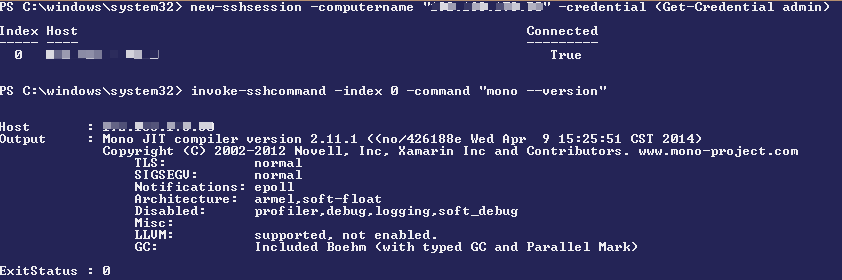
If you’ve enabled SSH there is even more to play with.
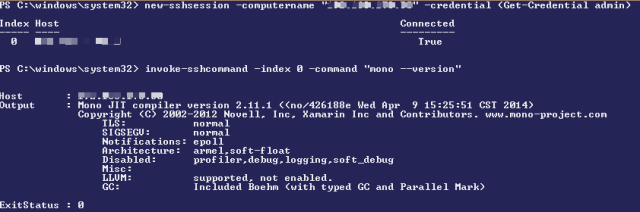
mono.version
You can commandline compile and run all sorts of programs. Just make sure it is mono 2.11.1 and/or dotnet 2.0 compatible.


Posted in Development | Tagged , , | 2 Comments

Week 36 roundup

Last week recap and links:

Image courtesy of kanate / FreeDigitalPhotos.net

Image courtesy of kanate / FreeDigitalPhotos.net

What are your best reads this week? Leave them in the comments below.

No technical stuff, but fun for the weekend. This Guy knows how to animate.

Posted in Uncategorized | Tagged , , , | Leave a comment