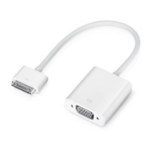
 For an on-stage demo of an iPad app I needed to build in video mirroring. Luckily I found this code and everything worked within 10 minutes, waiting for compile – package – deploy took that long 😉
This code is not mine. Original post on sharpthoughts.
public override bool FinishedLaunching (UIApplication app, NSDictionary options)
{
    // other code you need here

    // start monitoring for adapter and output when connected
    IPadClient.Controls.TvOutManager.SharedInstance().StartTvOut();
    return true;
}
TvOutManager sourcecode on https://gist.github.com/819268 and clone below (click to unfold)
using System;
using System.Collections.Generic;
using System.Drawing;
using System.Linq;
using System.Text;
using System.Threading;
using MonoTouch.CoreGraphics;
using MonoTouch.Foundation;
using MonoTouch.ObjCRuntime;
using MonoTouch.UIKit;

namespace IPadClient.Controls {
    public class TvOutManager : NSObject {
        private static TvOutManager sharedInstance;
        UIWindow deviceWindow;
        private UIWindow tvoutWindow;
        NSTimer updateTimer;
        UIImage image;
        UIImageView mirrorView;
        bool done;
        bool tvSafeMode;
        CGAffineTransform startingTransform;
        private int kFPS = 15;
        private bool kUseBackgroundThread = true;
        public bool UsePrivateAPI = false;


        public static TvOutManager SharedInstance() {
            if (sharedInstance == null) {
                sharedInstance = new TvOutManager();
            }
            return sharedInstance;
        }

        public TvOutManager()
            : base() {
            NSNotificationCenter.DefaultCenter.RemoveObserver(this);

            NSNotificationCenter.DefaultCenter.AddObserver(this, new Selector("ScreenDidConnectNotification:"), "UIScreenDidConnectNotification", null);
            NSNotificationCenter.DefaultCenter.AddObserver(this, new Selector("ScreenDidDisconnectNotification:"), "UIScreenDidDisconnectNotification ", null);
            NSNotificationCenter.DefaultCenter.AddObserver(this, new Selector("ScreenModeDidChangeNotification:"), "UIScreenModeDidChangeNotification ", null);

            UIDevice.CurrentDevice.BeginGeneratingDeviceOrientationNotifications();
            NSNotificationCenter.DefaultCenter.AddObserver(this, new Selector("DeviceOrientationDidChange:"),
                                                           "UIDeviceOrientationDidChangeNotification", null);
        }

        public void SetTvSafeMode(bool val) {
            if (tvoutWindow != null) {
                if (tvSafeMode && val == false) {
                    UIView.BeginAnimations("zoomIn");
                    tvoutWindow.Transform = CGAffineTransform.MakeScale(1.25f, 1.25f);
                    UIView.CommitAnimations();
                    tvoutWindow.SetNeedsDisplay();
                } else if (tvSafeMode == false && val == true) {
                    UIView.BeginAnimations("zoomOut");
                    tvoutWindow.Transform = CGAffineTransform.MakeScale(.8f, .8f);
                    UIView.CommitAnimations();
                    tvoutWindow.SetNeedsDisplay();
                }
            }
            tvSafeMode = val;
        }

        public void StartTvOut() {
            if (UIApplication.SharedApplication.KeyWindow == null)
                return;

            var screens = UIScreen.Screens;
            if (screens.Count() <= 1) {
                Console.WriteLine("TVOutManager: startTVOut failed (no external screens detected)");
                return;
            }

            if (tvoutWindow != null)
                tvoutWindow.Dispose();
                tvoutWindow = null;

            if (tvoutWindow == null) {
                deviceWindow = UIApplication.SharedApplication.KeyWindow;

                SizeF max = new SizeF();
                max.Width = 0;
                max.Height = 0;
                UIScreenMode maxScreenMode = null;
                UIScreen external = UIScreen.Screens[1];


                for (int i = 0; i < external.AvailableModes.Count(); i++) {

                    UIScreenMode current = UIScreen.Screens[1].AvailableModes[i];
                    if (current.Size.Width > max.Width) {
                        max = current.Size;
                        maxScreenMode = current;
                    }
                }

                external.CurrentMode = maxScreenMode;
                tvoutWindow = new UIWindow(new RectangleF(0, 0, max.Width, max.Height));
                tvoutWindow.UserInteractionEnabled = false;
                tvoutWindow.Screen = external;

                // size the mirrorView to expand to fit the external screen
                var mirrorRect = UIScreen.MainScreen.Bounds;
                var horiz = max.Width / mirrorRect.Width;
                var vert = max.Height / mirrorRect.Height;

                var bigScale = horiz < vert ? horiz : vert;
                mirrorRect = new RectangleF(mirrorRect.X, mirrorRect.Y, mirrorRect.Size.Width * bigScale, mirrorRect.Size.Height * bigScale);

                mirrorView = new UIImageView(mirrorRect);
                mirrorView.Center = tvoutWindow.Center;

                // TV safe area -- scale the window by 20% -- for composite / component, not needed for VGA output
                if (tvSafeMode) tvoutWindow.Transform = CGAffineTransform.MakeScale(.8f, .8f);
                tvoutWindow.AddSubview(mirrorView);
                tvoutWindow.MakeKeyAndVisible();
                tvoutWindow.Hidden = false;
                tvoutWindow.BackgroundColor = UIColor.DarkGray;

                //orient the view properly
                if (UIDevice.CurrentDevice.Orientation == UIDeviceOrientation.LandscapeLeft) {
                    mirrorView.Transform = CGAffineTransform.MakeRotation((float)Math.PI * 1.5f);
                } else if (UIDevice.CurrentDevice.Orientation == UIDeviceOrientation.LandscapeRight) {
                    mirrorView.Transform = CGAffineTransform.MakeRotation((float)Math.PI * -1.5f);
                }

                startingTransform = mirrorView.Transform;
                deviceWindow.MakeKeyAndVisible();
                this.UpdateTvOut();

                if (kUseBackgroundThread){
                    new Thread(UpdateLoop).Start();
                    }
                else{
                    updateTimer = NSTimer.CreateScheduledTimer(1.0/kFPS,this,new Selector("UpdateTvOut:"),null, true );
                }


            }
        }

        public void StopTvOut(){
            done = true;
            if (updateTimer != null){
                updateTimer.Invalidate();
                updateTimer.Dispose();
                updateTimer = null;
            }
            if (tvoutWindow != null){
                tvoutWindow.Dispose();
                tvoutWindow = null;
                mirrorView = null;
            }
        }
        [Export("UpdateTvOut:")]
        public void UpdateTvOut(){
            // UIGetScreenImage() is no longer allowed in shipping apps, see https://devforums.apple.com/thread/61338
            // however, it's better for demos, since it includes the status bar and captures animated transitions

            if (UsePrivateAPI){
                CGImage cgScreen = UIGetScreenImage();
                if (cgScreen != null){
                    var sImage = UIImage.FromImage(cgScreen);
                    mirrorView.Image = sImage;
                    cgScreen.Dispose();
                }
            }
            else{

                UIGraphics.BeginImageContext(deviceWindow.Bounds.Size);
                var context = UIGraphics.GetCurrentContext();

                foreach (var window in UIApplication.SharedApplication.Windows) {
                    if ((!window.RespondsToSelector(new Selector("screen"))) || (window.Screen == UIScreen.MainScreen)) {
                        context.SaveState();
                        context.TranslateCTM(window.Center.X, window.Center.Y);
                        context.ConcatCTM(window.Transform);
                        context.TranslateCTM(-window.Bounds.Size.Width * window.Layer.AnchorPoint.X, -window.Bounds.Size.Height * window.Layer.AnchorPoint.Y);
                        window.Layer.RenderInContext(context);
                        context.RestoreState();
                    }
                }
                image = UIGraphics.GetImageFromCurrentImageContext();
                UIGraphics.EndImageContext();
                mirrorView.Image = image;
            }
        }

        private CGImage UIGetScreenImage(){
            return CGImage.ScreenImage;
        }

        [Export("UpdateLoop:")]
        public void UpdateLoop(){
            using (NSAutoreleasePool pool = new NSAutoreleasePool()){
                done = false;

                while (!done){
                    this.InvokeOnMainThread(UpdateTvOut);
                    Thread.Sleep(67);
                }
            }
        }

        [Export("ScreenDidConnectNotification:")]
        public void ScreenDidConnectNotification(NSNotification notification){
            Console.WriteLine("Screen Connected: " + notification.Object);
            this.StartTvOut();
        }

        [Export("ScreenDidDisconnectNotification:")]
        public void ScreenDidDisconnectNotification(NSNotification notification) {
            Console.WriteLine("Screen disconnected: " + notification.Object);
            this.StopTvOut();
        }

        [Export("ScreenModeDidChangeNotification:")]
        public void ScreenModeDidChangeNotification(NSNotification notification) {
            Console.WriteLine("Screen mode changed: " + notification.Object);
            this.StartTvOut();
        }

        [Export("DeviceOrientationDidChange:")]
        public void DeviceOrientationDidChange(NSNotification notification){
            if (mirrorView == null || done == true)
                return;

            if (UIDevice.CurrentDevice.Orientation == UIDeviceOrientation.LandscapeLeft){
                UIView.BeginAnimations("turnLeft");
                mirrorView.Transform = CGAffineTransform.MakeRotation((float)Math.PI * 1.5f);
                UIView.CommitAnimations();
            }else if (UIDevice.CurrentDevice.Orientation == UIDeviceOrientation.LandscapeRight){
                UIView.BeginAnimations("turnRight");
                mirrorView.Transform = CGAffineTransform.MakeRotation((float)Math.PI * -1.5f);
                UIView.CommitAnimations();
            }else{
                UIView.BeginAnimations("turnUp");
                mirrorView.Transform = CGAffineTransform.MakeIdentity();
                UIView.CommitAnimations();
            }

        }
    }
}

 When I got the tweet from @wordpressdotcom about the Automattic’s Worldwide WP 5K, I decided to post this. As a Nike+ member my 5K are registered on




 .NET Development by Eric