Week 16 roundup

Last week recap an links:

Image courtesy of kanate / FreeDigitalPhotos.net

Image courtesy of kanate / FreeDigitalPhotos.net

What are your best reads this week? Leave them in the comments below.

Posted in Uncategorized | Tagged , , , , | Leave a comment

Fixed synology mount failure

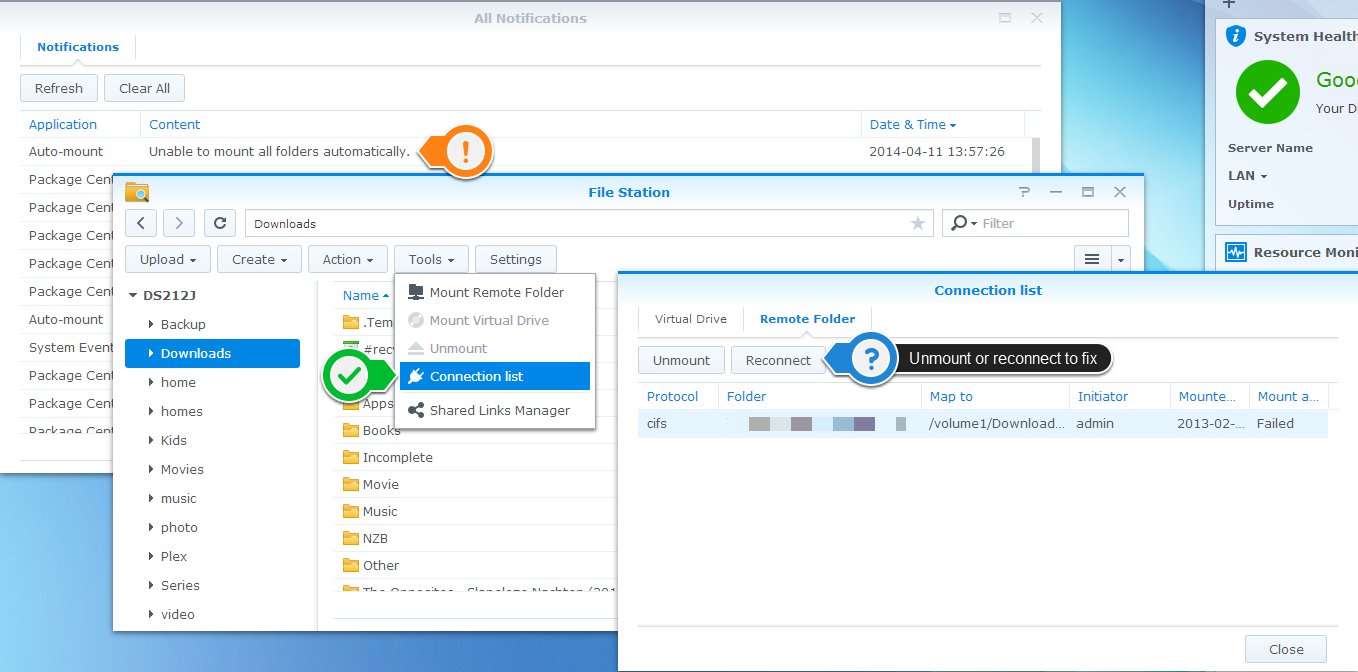
After the upgrade to DSM 5.0 I received some messages from the synology about Automount Failures. Here’s how to do something about it:

  • Start File Station
  • Go into Tools > Connection list
  • Locate the failing mount
    • Unmount, to stop the system from trying to automount
    • Reconnect, to see what’s wrong

unmount.synology.with.anotation

Posted in Uncategorized | Tagged | Leave a comment

Synology DSM 5.0

The new Disk Station Manager 5.0 from Synology was released in March. My DS212J was still happy running 4.3. Then came Heartbleed and forced me to act.

heartbleed.vulnerable

Because my synology was supported by DSM 5.0 there would not be a patch soon. The upgrade would cover that. But I was afraid the upgrade would go wrong and all my data would be lost. I removed the DMZ and my DS212J was available only from my home network. 😦

Who wants a polished new GUI on a NAS anyway?

Actually DSM 5.0 was more than just a GUI polish.

The interface was touch and high resolution friendly. My wife only uses an iPad. This will be handy.

Also the CloudSync software caught my attention. I could make backups from DropBox that extend the 30 days included in the free version.

The applications installed can be auto updated to the latest version now. Someone has been paying attention to Apple and iOS6?

What about that Text editor? I’ve not used it, but it’s nice that it’s there when I need it.

Notifications are now available for more events, like New DSM update ready.
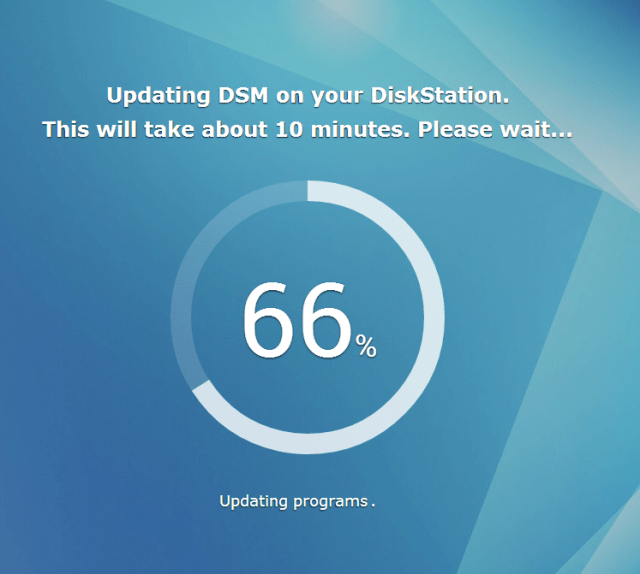
dsm.5.0.update

Painless upgrade

The upgrade was as easy as always. In control panel > DSM update just click Update Now. After the update follow the QuickConnect wizard (or skip it) and immediately go into control panel > Update & Restore > DSM update to install the latest patch.

I did had some trouble after updating all applications. The third party DDNS updater showed the php code, not the GUI. Clearing the browser cache of my laptop fixed that.


Posted in Uncategorized | Tagged | Leave a comment

Reproduce unit test failures from Hosted Build Controller

Our builds succeed with warnings. After investigation of the output we noticed failing unit tests. But local they run fine. Here’s what we did to troubleshoot and fix the issue.

First we downloaded the build output from the drop location. This can be done from the build summary.

download.drop.as.zip

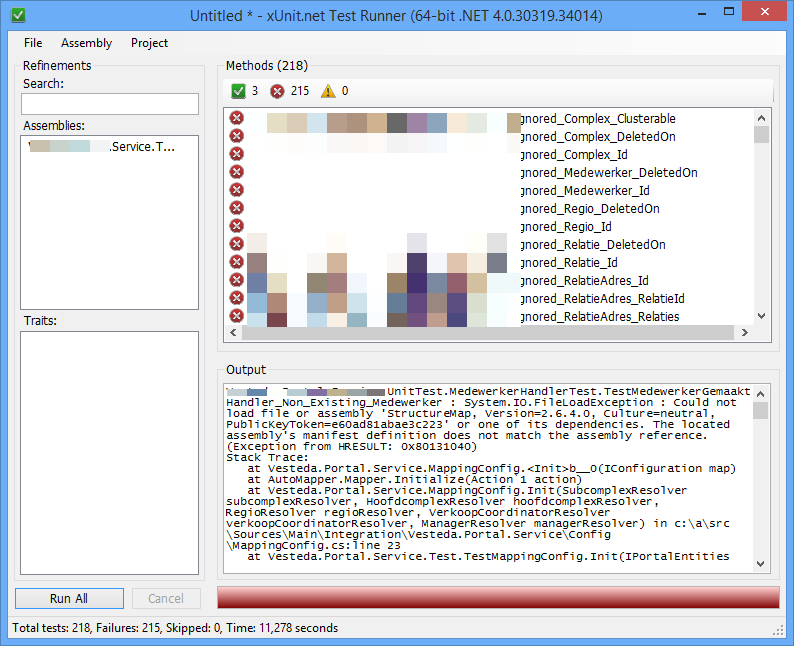
With the output from the build we run the unit tests with xunit gui and got the same failing tests. This is reproducible.

xunit.same.result

The assemblies are from 10 projects. Apparently the projects use different versions of StructureMap (latest version is incompatible with NServiceBus) and the droplocation contains only one structuremap assembly. This is obviously the wrong version for the unit tests. How about Murphy’s laws 🙂

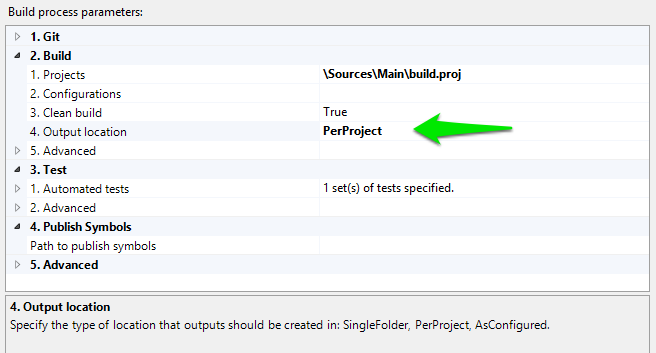
To get around the version differences we used the PerProject option for the Output location in the build template.

build.template.output.location.perproject

No more failing unit tests after that.

Posted in Development | Tagged , , , , | 1 Comment

Week 15 roundup

Last week recap an links:

Image courtesy of kanate / FreeDigitalPhotos.net

Image courtesy of kanate / FreeDigitalPhotos.net

What are your best reads this week? Leave them in the comments below.

Posted in Uncategorized | Tagged , , , , | Leave a comment