Microsoft Azure RemoteApp preview

The day after my Microsoft RemoteApp preview post my subscription was activated for Microsoft Azure RemoteApp. Things look a lot better now.

In the windows azure portal I now have access to the remoteapp tab, which is still in preview. I created a remoteapp with the supplied image “Microsoft office 2013 Professional Plus on Windows Server 2012 R2”. After the provisioning (it is a VM) we’re in business.

First the user access. Typed my username, the green check mark appeared and clicked save. A refresh in the Microsoft RemoteApp notified me of a new invitation.
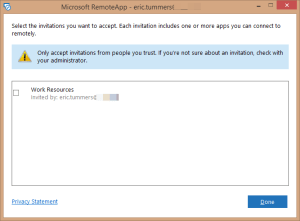
remoteapp.invitation

Now I have gained access to OneNote, Outlook and Project. I did loose Paint in the process. Under RemoteApp Programs in the azure portal I can add other applications based on their location or from the start menu. (that is why Microsoft brought it back 😉 )

remoteapp.programs

For the fun of it I added powershell. And it did work on my iPhone and Windows 8.1 laptop without problems. No administrative rights though.
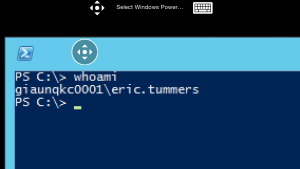
Powershell on iPhone - whoami

Saved documents can be loaded from the documents folder. The sum function did work in Excel. No more lagging. Looks like Microsoft is on the right track.

The preview invitation gave me some rules to live by. Looks like I’ll be taking my iPhone with me on vacation.

The following terms apply for the preview service:

  • Microsoft is offering the Azure RemoteApp free during preview.
  • With your preview service, you are allowed to build two instances and 10 users for each instance.
  • Your Azure RemoteApp preview service will be cancelled if it is unused for 7 consecutive days.
  • You will be notified two business days prior to any action taken on your account.

Azure Team

Posted in Tooling | Tagged , , , , , | Leave a comment

Week 28 roundup

Last week recap and links:

Image courtesy of kanate / FreeDigitalPhotos.net

Image courtesy of kanate / FreeDigitalPhotos.net

What are your best reads this week? Leave them in the comments below.

Posted in Uncategorized | Tagged , , | Leave a comment

Microsoft RemoteApp preview

The any app on any device solution from Microsoft is in preview. Meet Microsoft RemoteApp the latest service on the Windows Azure platform. I’ve installed the Windows and iPad client and must say I’m not impressed.

The positive

Setup is a breeze. Just install the client app, login and you’re good to go. The preview contains Excel, Paint, Powerpoint, Visio and Word. Enough to get anyone excited.

Touch friendly on the iPad, look at the markers when selecting cells for the sum function

remoteapp ipad markers

The negative

I’m not able to load saved documents after disconnecting. Seems like you’re always getting a new clean virtual machine. Where to put your documents? Why not integrate the OneDrive they are so proud of?

Where the touch friendly Excel looks nice, the function did not work. The SUM function not working, what else would you need Excel for?

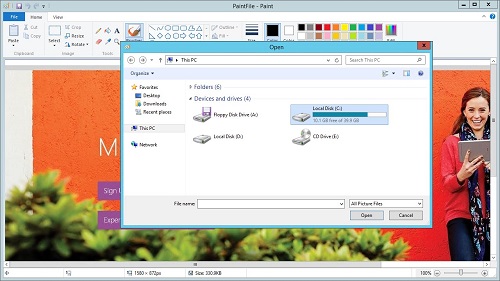
remoteapp windows paint open file dialog

Verdict

Okay it is in preview, a little lagging, but some things just are not right. We’ll have to wait for Microsoft’s answer. Feedback can be provided in their purple nag screen.

I did sign up for Azure RemoteApp to provide my own apps on the platform. Hope they let me at it soon …

microsoft.azure.remoteapp

Posted in Tooling | Tagged , , , | 1 Comment

Download MSDN files with Synology NAS

As a MSDN subscriber I have access to loads of downloads. But the larger files like OS iso’s can take a long time to download. I want to do the downloading from my synology nas.

My nas comes with an iOS app for managing the downloads. This contains a browser that redirects all downloading to the manager. After the login I can click the download button and wait for the iso to be available from my nas.

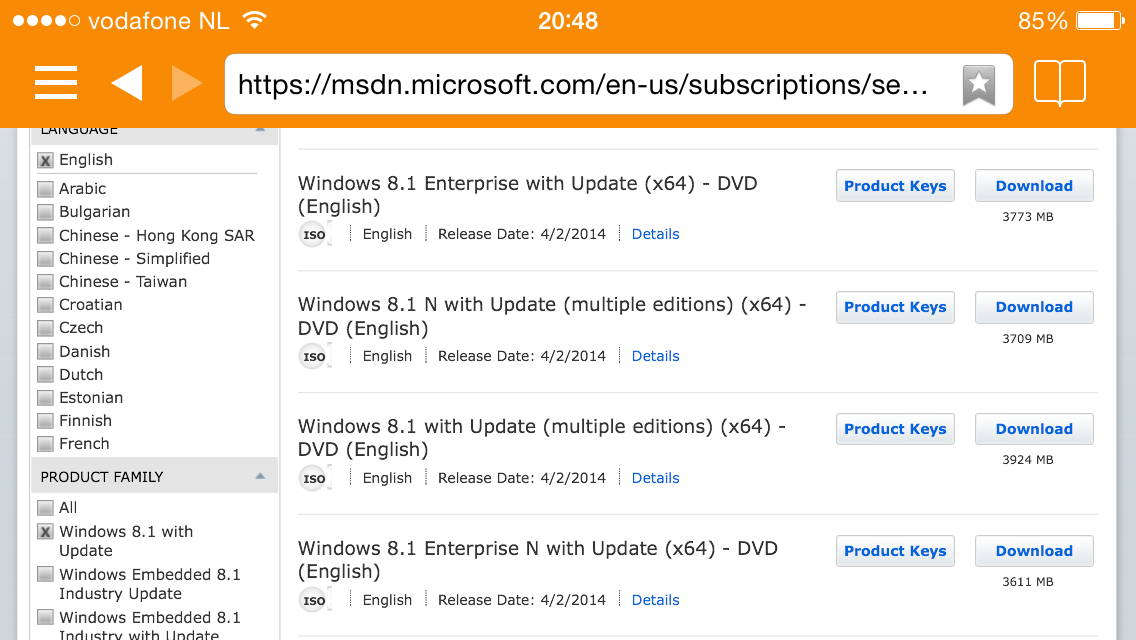
List of available downloads on MSDN subscription

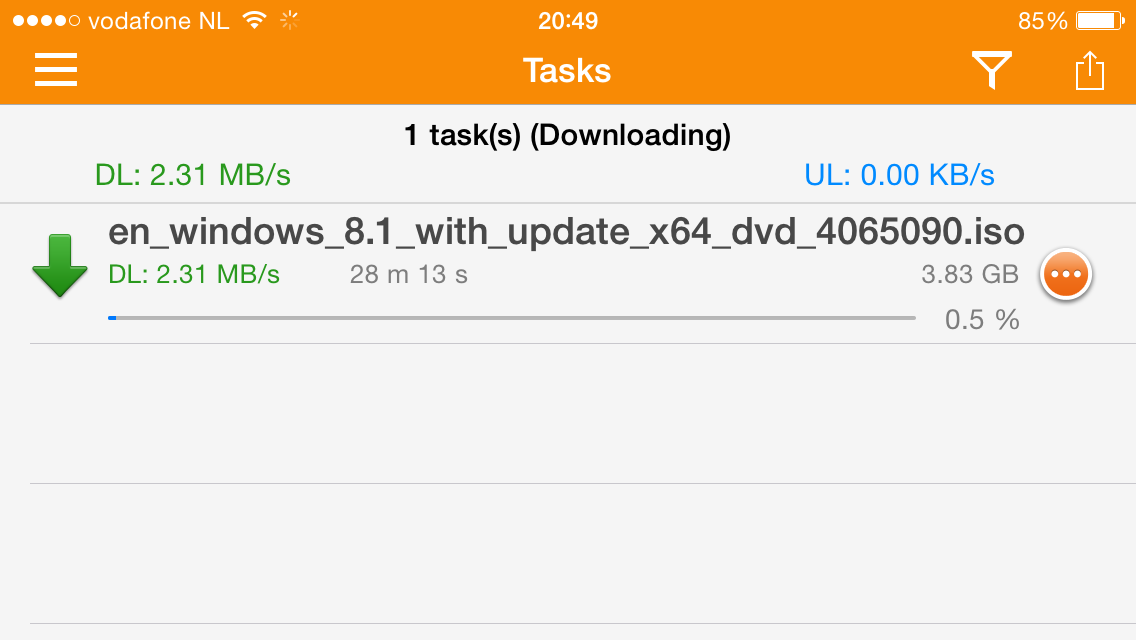
Download of windows 8.1 iso

The screenshots are from my iPhone. Mobile apps of synology are available for iOS, Android and Windows Phone.

Posted in Tooling | Tagged , , | Leave a comment

Week 27 roundup

Last week recap and links:

Image courtesy of kanate / FreeDigitalPhotos.net

Image courtesy of kanate / FreeDigitalPhotos.net

What are your best reads this week? Leave them in the comments below.

Posted in Uncategorized | Tagged , , , , | Leave a comment