The latest software update of Synology added the option to backup to Azure Storage. Here is my experience of setting it up, the first backup and the costs.
Setup
I created a storage account and enabled minimal logging of the blob storage. The default geo redundant replication option is good enough for my backup. After copying the secondary access key to the clipboard I logged in on my Synology to configure the backup.
In DSM, the software of Synology, I created a backup destination to Azure Storage. Then I created a data backup task to backup all folders to Azure Storage. You can combine these steps by creating a destination while creating a task, but I did this in two steps. The wizards in DSM makes this super easy.
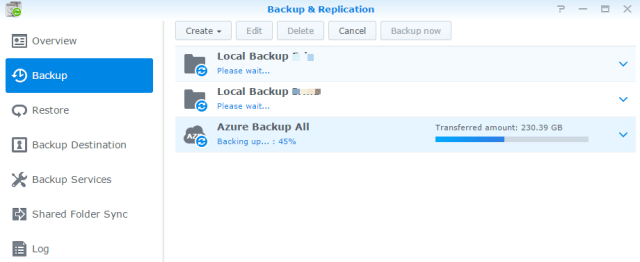
First backup
Since I enabled logging of the blob storage the Azure portal showed a graph. Below a screenshot during the first backup. The green line is not the transfer speed but the number of requests. The smaller the files the more requests, because more files are uploaded. (Bit rate Wiki)

The total of 1TB needed to be uploaded over my 90 / 9 Mbit/s internet. It took about 12 days to complete. In these days the Synology remained responsive. I could stream movies, download stuff and print with the virtual AirPrint service.
Once the first backup is completed only the changes need to be uploaded. I’ve scheduled the backup task every week.
Costs
Azure Storage costs are the disk space used (€0.0358 per GB per month) and the traffic out. The traffic in is considered free of charge. In my case the 1TB backup costs around €36 each month. The costs will increase when I add new files.
The same storage in Amazon Glacier would be €11, but that isn’t part of my MSDN subscription 
References
Data backup on synology website
About Storage Analytics Metrics on msdn







 .NET Development by Eric