
A recent update on the Windows Azure platform enables you to run a custom powershell script when creating a new Virtual Machine. It can be configured on the last step of the Wizard.
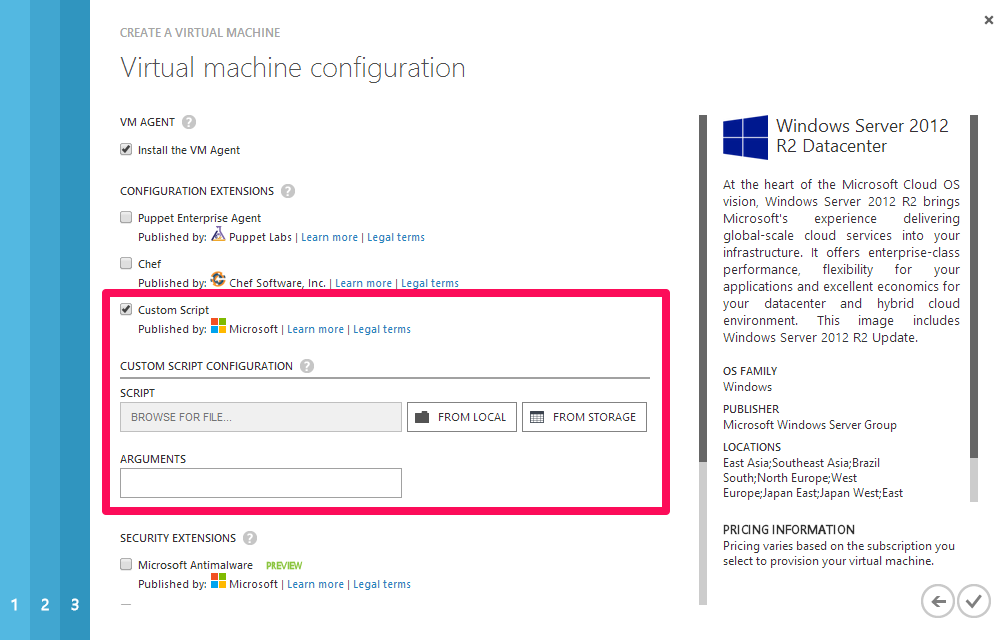
This is where chocolatey can do it’s magic by installing software I need. No more creating sysprep images :-).
#install chocolatey
iex ((new-object net.webclient)
   .DownloadString("http://chocolatey.org/install.ps1"))
#install nservicebus
cinst nservicebus.dtc.install
cinst nservicebus.msmq.install
cinst nservicebus.ravendb.install
cinst ServiceControl.install
cinst ServiceInsight.install
cinst ServicePulse.install
#done, now your environment is ready


 .NET Development by Eric