Week roundup

Here are the best articles I’ve read/seen last week:

What are your best reads this week? Leave them in the comments below.

Posted in Uncategorized | Tagged , | Leave a comment

Alternate Authentication Credentials

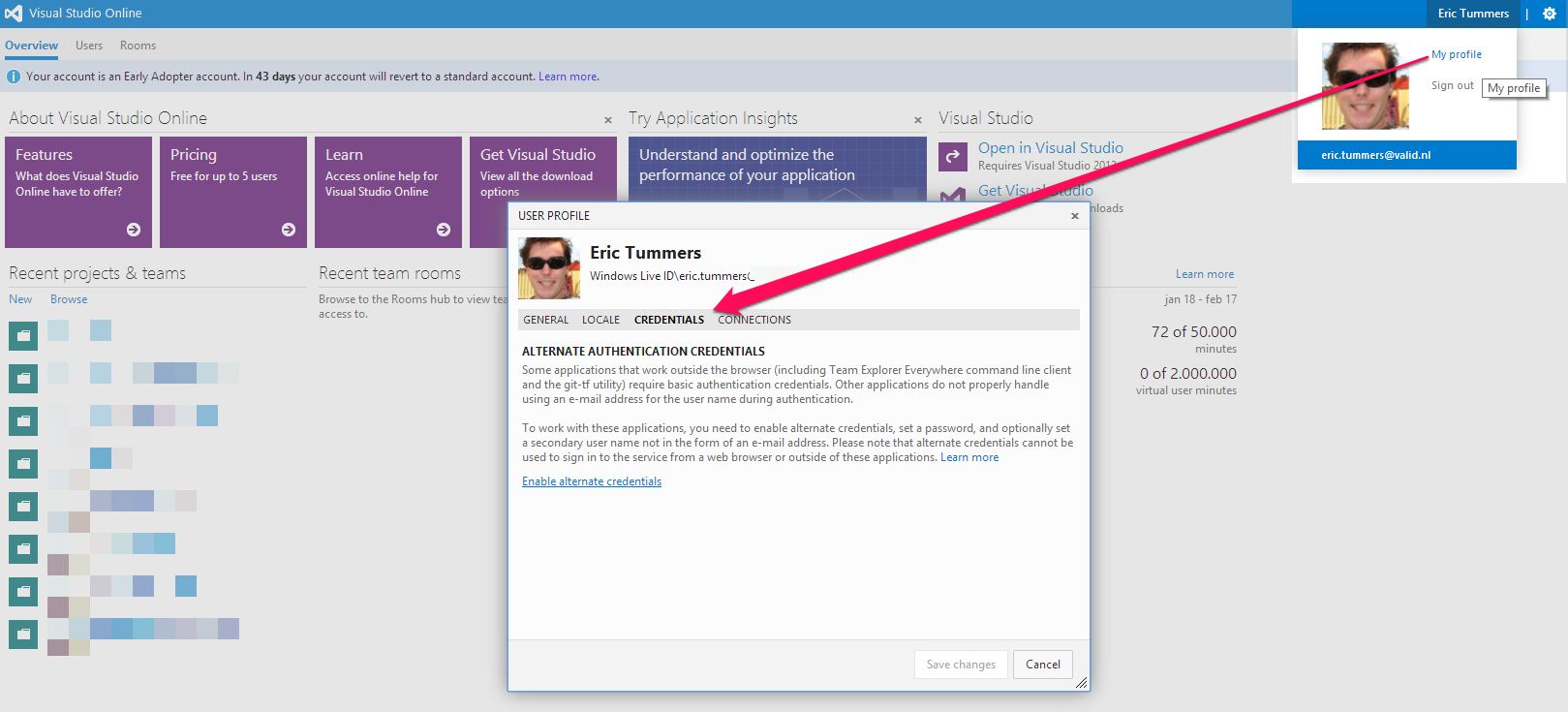
To allow third party tools to connect to your visual studio online enable Alternate Authentication Credentials
Alternate Authentication Credentials

After making the change I got an email from Microsoft. This is standard security policy now.

Hi Eric Tummers,

To maintain the security and privacy of your profile and account information, we monitor certain types of actions. Our records indicate that on January 30, 2014 at 07:30:41 AM (UTC), your alternate authentication credentials were either set for the first time or changed.

If you did not make this change, please contact us immediately at TFServiceSupport@microsoft.com so we can investigate this further with you.

Thank you,
Team Foundation Service team

Microsoft respects your privacy. Please read our online Privacy Statement.

Posted in Tooling | Tagged , , , | Leave a comment

Synology SMART test

At home I have a synology DS212J. This is a NAS with some nice features. I configured it to SMART test itself and notify me when something is wrong with one of the disks. Here is how I did this on DSM4.2.

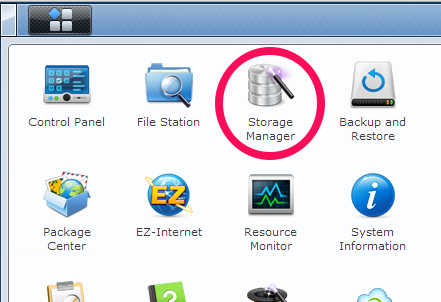
Open the menu and start the Storage manager.
01-storage.manager

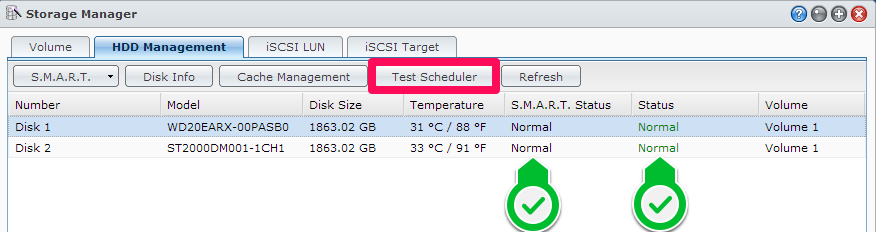
The Storage manager shows the disks in the synology. Both are in normal state, which means okay.
02-test.scheduler

With Test Scheduler the Quick Test and the Full Test can be scheduled. This way the tests are performed weekly and monthly without me logging in.
03-test.all.disks

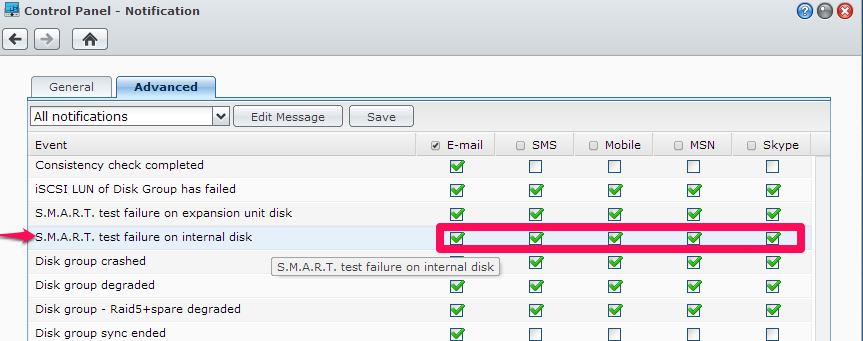
When a SMART test fails I want the know. That is where Notification comes in.
04-notification

Check the notification service applicable on S.M.A.R.T. test failure on internal disk.
05-SMART.failure.notification

It’s only a matter of time before the disks go south. Make sure you have a backup of your precious files.

Posted in Uncategorized | Tagged , , , , , | Leave a comment

Stopmotion with lego

On twitter I read this post:


Since I have a wordpress blog and like a challenge, here is the daily post in my Zero to Hero sequence.

Publish a post using a format you’ve never used before

As an extra new-to-me I published this post with the webinterface on an iPad.

Posted in Uncategorized | Tagged , , | Leave a comment

Nuget trouble (again)

nuget logoKeeping the versions of packages in sync was difficult today, again.
Now I tried testing my data access code with FakeDbSet. This is an in-memory store for your data, the owner describes it as

A ready to use FakeDbSet for faking Entity Framework code.

The version of EntityFramework I used for the data access code and the version needed for FakeDbSet were different. Running the unit test would throw an exception:

Could not load file or assembly ‘EntityFramework, Version=4.4.0.0,
Culture=neutral, PublicKeyToken=b77a5c561934e089’ or one of its
dependencies. The located assembly’s manifest definition does not
match the assembly reference. (Exception from HRESULT: 0x80131040)

I remembered the solution Visual Studio offered the previous time and added a binding redirect. This solved the problem.

<configuration>
  <!-- other stuff removed for clearness -->
  <runtime>
    <assemblyBinding xmlns="urn:schemas-microsoft-com:asm.v1">
      <dependentAssembly>
        <assemblyIdentity name="EntityFramework" culture="neutral" 
publicKeyToken="b77a5c561934e089" />
        <bindingRedirect oldVersion="4.4.0.0" newVersion="6.0.0.0" />
      </dependentAssembly>
    </assemblyBinding>
  </runtime>
</configuration>

Not to say I’m happy with a version number in my config, but this is in my unit test and that is not (currently) part of my product.

References

Posted in Test | Tagged , , , | Leave a comment