Access the IIS metabase

For quality purposes we add a new person to our project. The problems found will be documented for future reference. Here is the first problem.

Opening the solution in visual studio would not load the web project. In the output window is an error message:

LoginPortal.Web.csproj : error : The Web Application Project LoginPortal.Web is configured to use IIS. Unable to access the IIS metabase. You do not have sufficient privilege to access IIS web sites on your machine.

The solution (windows 8.1) is to grant access to the %SYSTEMROOT%\System32\inetsrv\config folder by browsing to it.
iis.metabase.access

References

Stackoverflow – Error – Unable to access the IIS metabase

Posted in Development | Tagged , , , , , , | 4 Comments

Request feedback from visualstudio online

From visual studio online you can request feedback on your application. I’ve played with it and it looks promising. Not sure if the stakeholder would open the email or install software requested in an email. But if they do this could lead to something.

Screenshots of my request feedback adventure.

Posted in Tooling | Tagged , | Leave a comment

Week roundup

Here are the best articles I’ve read/seen last week:

Image courtesy of kanate / FreeDigitalPhotos.net

Image courtesy of kanate / FreeDigitalPhotos.net

What are your best reads this week? Leave them in the comments below.

Posted in Uncategorized | Tagged , , , , | Leave a comment

Run Selenium from visualstudio.com

You can host your project in Visualstudio.com and still run selenium tests in the build. The hosted build controller does not support it (details) and cannot be adjusted. Why not create your own Build Controller in Azure VM? Here is how I did it.

I’ve created a Microsoft Windows 2012R2 server VM and remote desktop into it.

Install Team Foundation Server and configure the Build Controller.
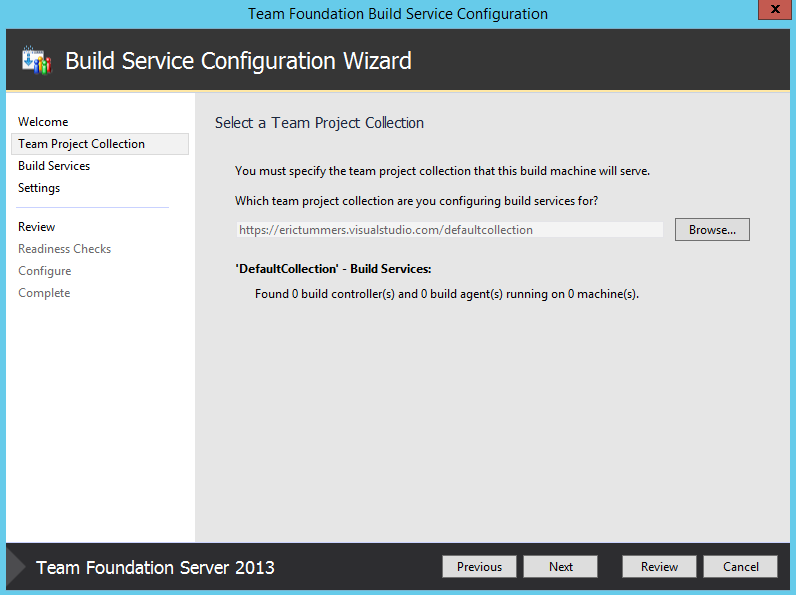
Configure Build Controller

Connect the Build Controller to visualstudio.com. Use the Browse button and connect to “your” visualstudio.com server.
Connect to visualstudio.com

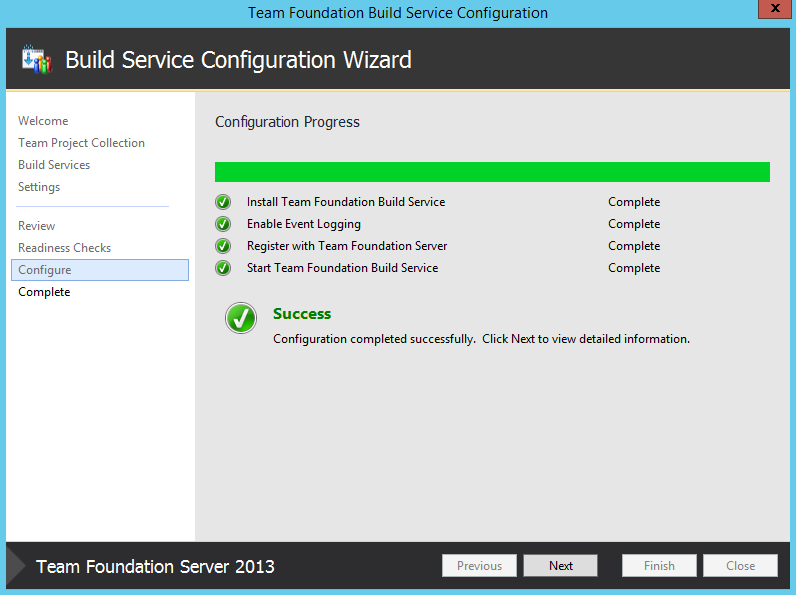
I left the rest on default and let the configuration complete.
Done

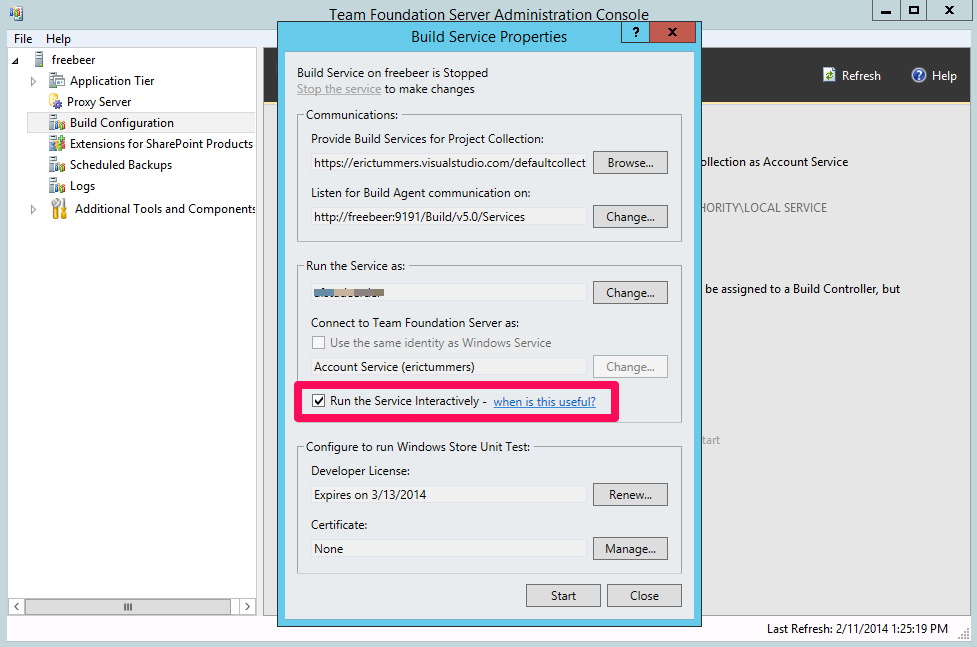
In the Team Foundation Server Administration Console > Build Configuration: check the Run the Service Interactively and use the Remote Desktop account for Run the service as.
Run the server interactively

Install Visual Studio 2013. This is on the hosted build controller also.

Now you can select this new Build Controller in build definitions in visualstudio.com.
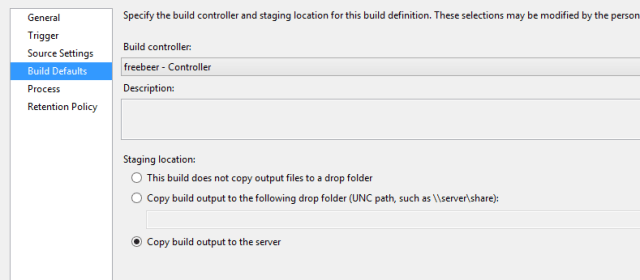
Change build controller

Problems

I’ve run into some problems before I got my SeleniumDemo to work.

The imported project “C:\Program Files (x86)\MSBuild\Microsoft\VisualStudio\v12.0\WebApplications\Microsoft.WebApplication.targets” was not found. or
TF900547: The directory containing the assemblies for the Visual Studio Test Runner is not valid ‘C:\Program Files (x86)\Common7\IDE\CommonExtensions\Microsoft\TestWindow’.
➡ Solution is to install Visual Studio 2013.

Access denied when hitting IISExpress website
➡ Edit C:\Program Files (x86)\IIS Express\AppServer\applicationhost.config to use WindowsAuthentication. I did revert back to the origional implementation for starting IISExpress found here

Access denied when starting build. Files are in use
➡ Hookup to the AppDomain.CurrentDomain.ProcessExit event for quitting the Webdriver and stopping IISExpress

private void CurrentDomainProcessExit(object s, EventArgs e) {
    WebDriver.Quit();
    WebServer.Stop();
}

Posted in Development | Tagged , , , , , , | Leave a comment

Execute xunit tests on hosted build controller

You can use xunit to unit test on the hosted build controller by installing the xunit.runner.visualstudio package.

But when the Build is done, there was an error.
Exception discovering tests from C:\a\bin\xunit.runner.visualstudio.testadapter.dll: System.IO.FileNotFoundException: Could not load file or assembly 'Microsoft.VisualStudio.TestPlatform.ObjectModel, Version=12.0.0.0, Culture=neutral, PublicKeyToken=b03f5f7f11d50a3a' or one of its dependencies.

The testrunner tries to discover the unittests in xunit.runner.visualstudio.testadapter.dll. Why? Because it matches the default test sources spec of *.test*.dll.
test sources spec
Change the spec to something more specific (like *unittest.dll) and everything works fine.

Posted in Development | Tagged , , | 3 Comments