Structuremap interferes with nServicebus EndpointName configuration

When creating a nServiceBus host with an EndpointName in the configuration be warned for this structuremap interference. See the repro code below of a bug we recently fixed. The messages and handlers are left out of the sample for simplicity.

Bug

The IoC container is initialized by scanning all types in the current assembly.

public class IoC {
    public static void Init() {
        ObjectFactory.Initialize(factory => {
            factory.Scan(scan => {
                scan.TheCallingAssembly();
            });
        });
    }
}

Initialization of the nServicebus with IoC and a name for the endpoint (queue)

public class EndpointConfig : IConfigureThisEndpoint, AsA_Server, 
                              IWantCustomInitialization {
    public void Init() {
        IoC.Init();
        // expect name of queue to be CityBus
        Configure.With()
                 .StructureMapBuilder(ObjectFactory.Container)
                 .DefineEndpointName("CityBus");
    }
}

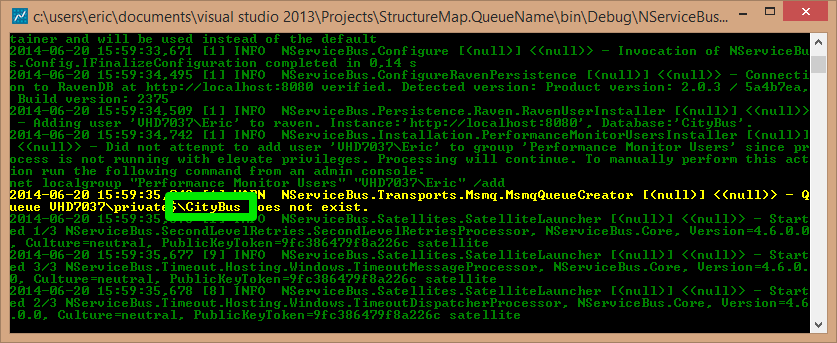
But when the project starts the output window tells me the queue is created with the default naming convention using the assembly namespace. The retries, timeouts and timeoutsdispatcher queue are correct. The main queue is (wrongly) named StructureMap.QueueName after the namespace.
nservicebus.queue.namespace.convention

Solution

The structuremap scan will create the endpoint with default convention as it executed before the DefineEndpointName. By moving the code before the scan the correct queue is created.

public class EndpointConfig : IConfigureThisEndpoint, AsA_Server, 
                              IWantCustomInitialization {
    public void Init() {
        // expect name of queue to be CityBus
        Configure.With().DefineEndpointName("CityBus");
        IoC.Init();
        Configure.With()
                 .StructureMapBuilder(ObjectFactory.Container);
    }
}
nservicebus.queue.endpointname

Now manually remove the StructureMap.QueueName as it is no longer needed.

Full repro project download here.

Posted in Development | Tagged , , | Leave a comment

Partial subs with nsubstitute

Finally got the hang of partial s(t)ubs with nsubstitute. The key is that the original method is called when setting up the sub. To avoid this use argument matchers and the DoNotCallBase() method.

// sample class to test nsubstitute
public class TestMe
{
    // property
    public virtual string Text { 
        get { throw new Exception(); } 
    }
    // parameterless returning method
    public virtual TestMe Copy() { 
        throw new Exception(); 
    }
    // void method with parameter
    public virtual void DoSomething(int index) { 
        throw new Exception(); 
    }
    // returning method with parameter
    public virtual object ReturnSomething(int index) { 
        throw new Exception(); 
    }
}

Property

To test/setup the property to return something and not throw an exception you can use this code.

[Fact]
public void SubStitute_TestMe_Text() {
    var ignoreMe = default(string);
    var expectedString = "hello world";
    var fakeTestMe = Substitute.ForPartsOf<TestMe>();
    // call the property get by assigning the value to some variable
    fakeTestMe.When(x => ignoreMe = x.Text).DoNotCallBase();
    fakeTestMe.Text.Returns<string>(expectedString);
    Assert.Equal(expectedString, fakeTestMe.Text);
}

Parameterless returning method

This looks like the get property, except it is a (real) method. See code below for setup.

[Fact]
public void SubStitute_TestMe_Copy() {
    var fakeTestMe = Substitute.ForPartsOf<TestMe>();
    fakeTestMe.When(x => x.Copy()).DoNotCallBase();
    fakeTestMe.Copy().Returns(fakeTestMe);
    Assert.Same(fakeTestMe, fakeTestMe.Copy());
}

Void method with parameter

For the setup use a parameter matcher. This prevents the real code from executing in the When setup.

[Fact]
public void SubStitute_TestMe_DoSomething() {
    var someRandomNumber = 1234;
    var fakeTestMe = Substitute.ForPartsOf<TestMe>();
    fakeTestMe.When(x => x.DoSomething(Arg.Any<int>()))
              .DoNotCallBase();
    fakeTestMe.DoSomething(someRandomNumber);
}

Returning method with parameter

Last flavor. Setup the return for the method.

[Fact]
public void SubStitute_TestMe_ReturnSomething() {
    var someRandomNumber = 98273;
    var fakeTestMe = Substitute.ForPartsOf<TestMe>();
    fakeTestMe.When(x => x.ReturnSomething(Arg.Any<int>()))
              .DoNotCallBase();
    fakeTestMe.ReturnSomething(Arg.Any<int>())
              .ReturnsForAnyArgs(DateTime.Now); // boxing of struct
    Assert.NotNull(fakeTestMe.ReturnSomething(someRandomNumber));
}

References

Partial subs and test spies on github

Posted in Test | Tagged , , | 2 Comments

Week 25 roundup

Last week recap and links:

Image courtesy of kanate / FreeDigitalPhotos.net

Image courtesy of kanate / FreeDigitalPhotos.net

father’s day special: Cool dad draws on lunch bags

What are your best reads this week? Leave them in the comments below.

Posted in Uncategorized | Tagged , , | Leave a comment

How to convince developers and managers to do TDD

Posted in Test | Tagged , , | Leave a comment

GIT code review in visualstudio.com

In the 10 June update of Visual Studio Online the Review and Merge code with Pull Requests feature was added. This means code review for GIT is finally here.

Prepare for code review

We use SourceTree with GitFlow. I’ve created a New Feature that I want to get code reviewed. Important is the created branch.
new.feature.gitflow

After completing my coding I need to publish my branch with the commits.
publish.branch

Request code review

After I published the branch opened a browser to visualstudio.com > CODE > Pull Requests and created a New Pull Request. I’ve selected the feature branch and more options to select the team members. With Create Pull Request the request is created.
new.pull.request

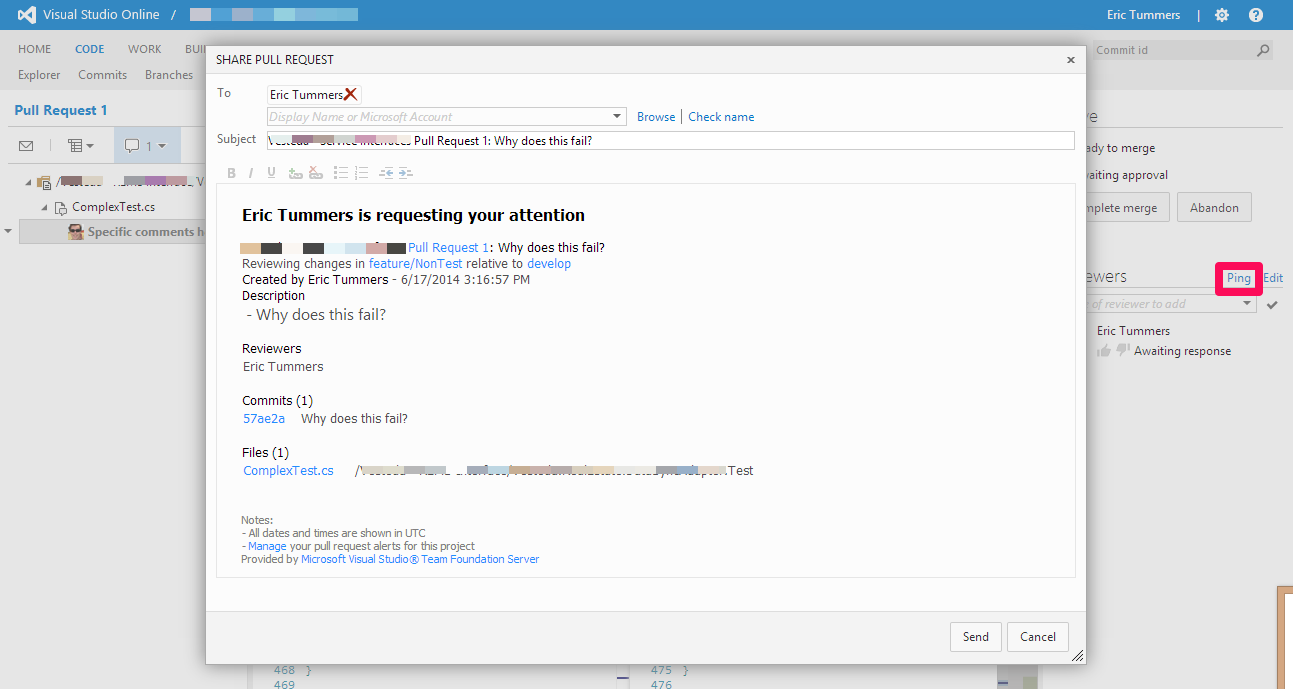
With ping I send an e-mail to the reviewer. For this post I am my own reviewer 😉
ping

Code review

On the main screen of the pull request I can add some general comments / discussion.
general.comments

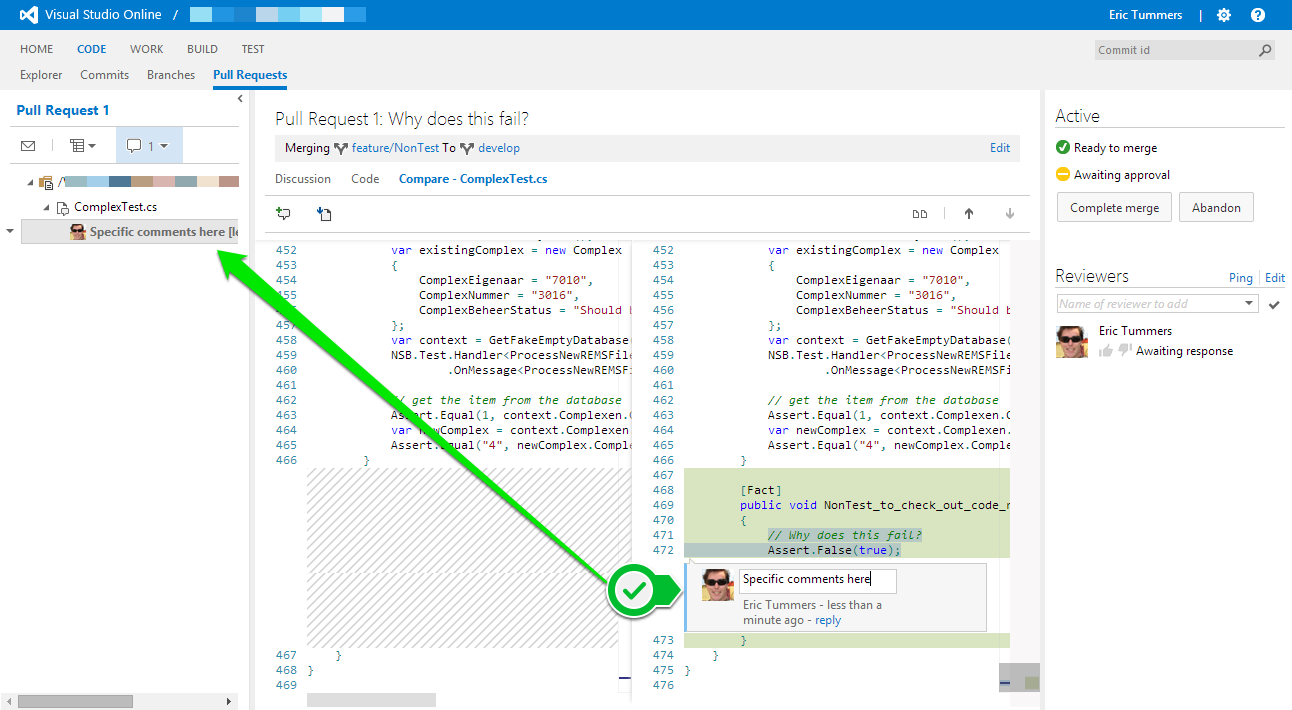
In the source(s) I can add more detailed comments linked to lines of code. These comments are visible under the source file in the treeview on the left as well.
source.code.comments

Approve and merge

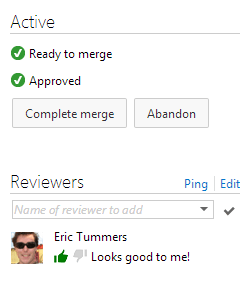
Since I’m happy with my own code, I’ll give a thumbs up and approve the code.
approved

With the approval of myself 🙄 I can merge the feature branch to the original branch.
merged

review.commit

References

Conduct a Git pull request on Visual Studio Online(more detail)

Posted in Development | Tagged , , , , | Leave a comment