
The spellcheck in Outlook 2016 for Mac was driving me nuts for some time now. Most e-mails I write are in Dutch and the spellcheck defaults to English (UK). My daughter concluded “a lot of squiggly red lines” on my computer. This was the max. Outlook behave!
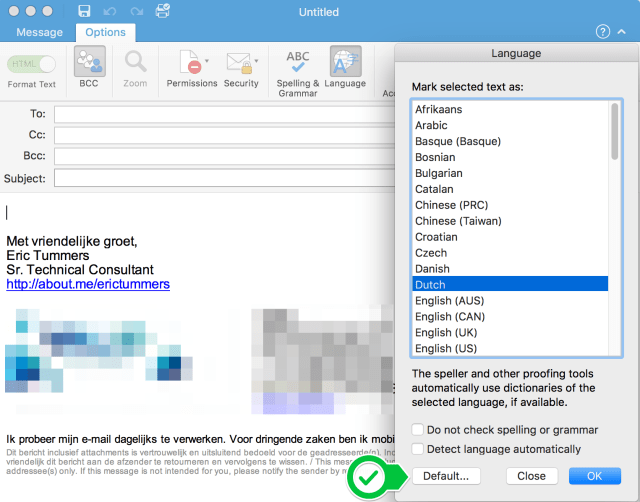
Here is how to change the default language:
- Create a new message
- Click Options > Language in the Ribbon
- Select the preferred Language and click Default…
- Click OK and close the new message
Finally spellcheck in my own language. I’m a happy Office for Mac user again.


 .NET Development by Eric