
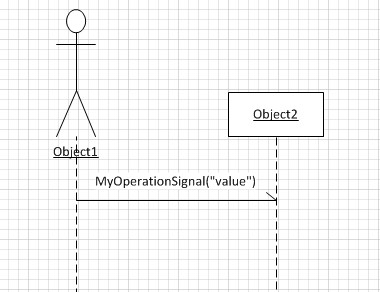
Microsoft Visio is the tool we use to draw our designs. This is the first time I want to draw a synchonous message in a sequence diagram and it’s a hell of a job when you don’t know how. Here is a list of steps to create my simple sample (download)
- new UMl Model Diagram
- Static structure -> add Class from Shapes
- Static structure -> add Signal from Shapes
- Static structure -> add Actor from Shapes
- Class -> add Reception
- new Sequence Diagram
- Sequence -> add Object lifeline from Shapes (set Classifier to Actor of 4)
- Sequence -> add Object lifeline from Shapes (set Classifier to Class of 2)
- Sequence -> add Message (async.) between Object lifelines (defaults to Signal of 3)


 .NET Development by Eric