
Our project uses IIS to host custom web applications. We received an issue where sometimes the application pool wouldn’t start because of an corrupt configuration.
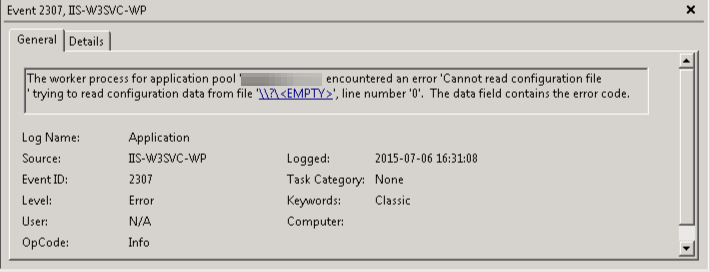
To reproduce the issue we run the software to install the web application. This way the application pool is created and available in the metabase for editing.
After completion stop the application pool, then open “C:\Windows\System32\inetsrv\config\applicationHost.config” and locate the applicationPool.
<!-- .... -->
<system.applicationHost>
   <applicationPools>
      <add name="ReproAppPool" autoStart="false" managedRuntimeVersion="v4.0" />
<!-- .... -->
Change an attribute so it is not accepted by IIS (eg <add name=”ReproAppPool” managedSomething=”v4.0″ />) This will cause the metabase to throw the exception.
Now undo the change to the applicationHost.config. Other applications will stop throwing the HTTP500, but the ReproAppPool will not start by itself and that application keeps throwing HTTP503.
With this repro we can now fix the issue by adding some exception handling.


 .NET Development by Eric
Pingback: Repro metabase COM Exceptions | .NET Development by Eric