
At home I have a synology DS212J. This is a NAS with some nice features. I configured it to SMART test itself and notify me when something is wrong with one of the disks. Here is how I did this on DSM4.2.
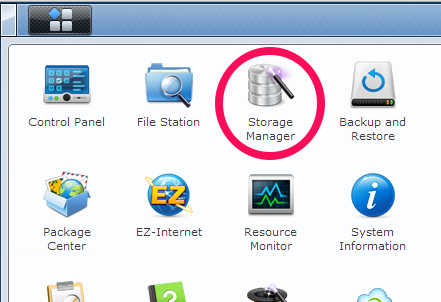
Open the menu and start the Storage manager.
The Storage manager shows the disks in the synology. Both are in normal state, which means okay.
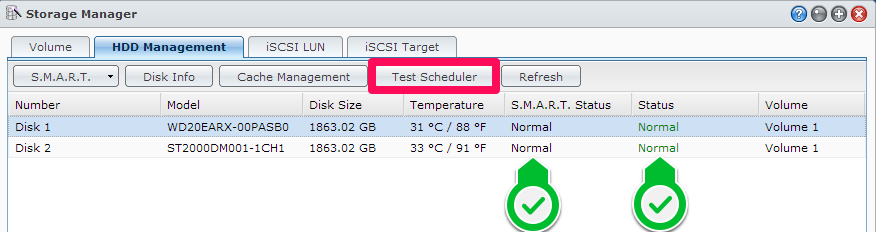
With Test Scheduler the Quick Test and the Full Test can be scheduled. This way the tests are performed weekly and monthly without me logging in.

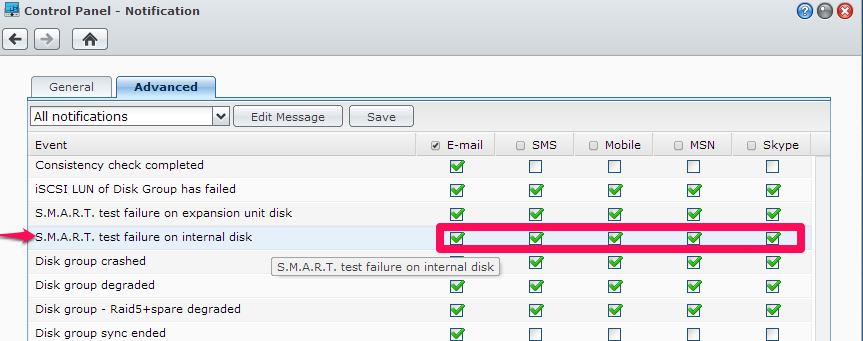
When a SMART test fails I want the know. That is where Notification comes in.

Check the notification service applicable on S.M.A.R.T. test failure on internal disk.
It’s only a matter of time before the disks go south. Make sure you have a backup of your precious files.


 .NET Development by Eric